

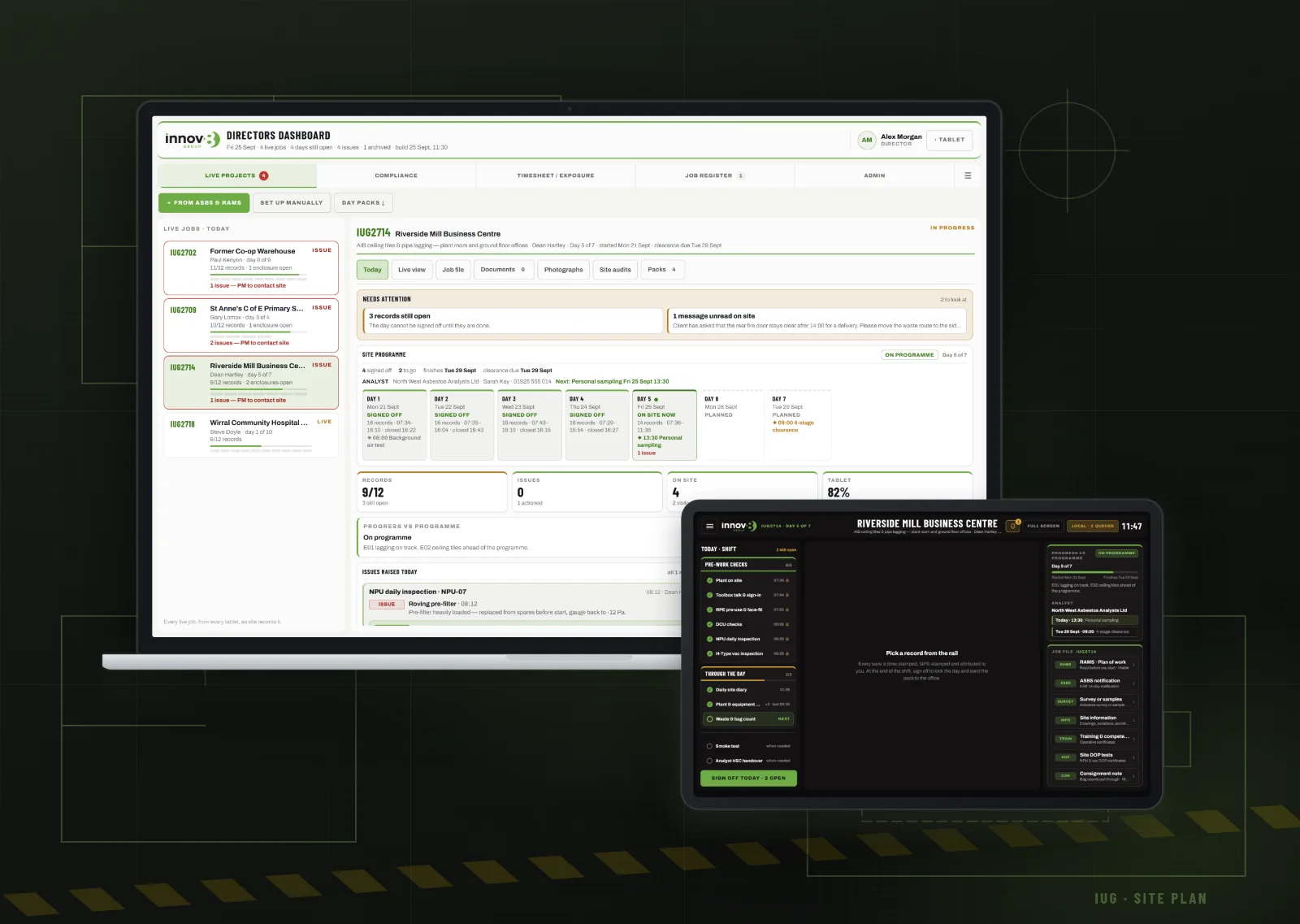
For years the daily site file on a licensed job has been paper. That means a stack of check sheets, sign-in forms and diary pages, filled in by the supervisor and driven back to the office at the end of the job. It works, but it’s slow, it can go missing, and nobody back at base knows what’s happening on site until they ring.
We have built our own replacement. The Innov8 App is made up of two parts that talk to each other:
- the Site Logs tablet, which every supervisor carries on site
- the Directors’ Dashboard, which lets the office see every live job as it happens
It was designed around the way our teams already work, the HSE’s requirements for licensed asbestos removal, and our own standard operating procedures.
On site: the supervisor’s tablet
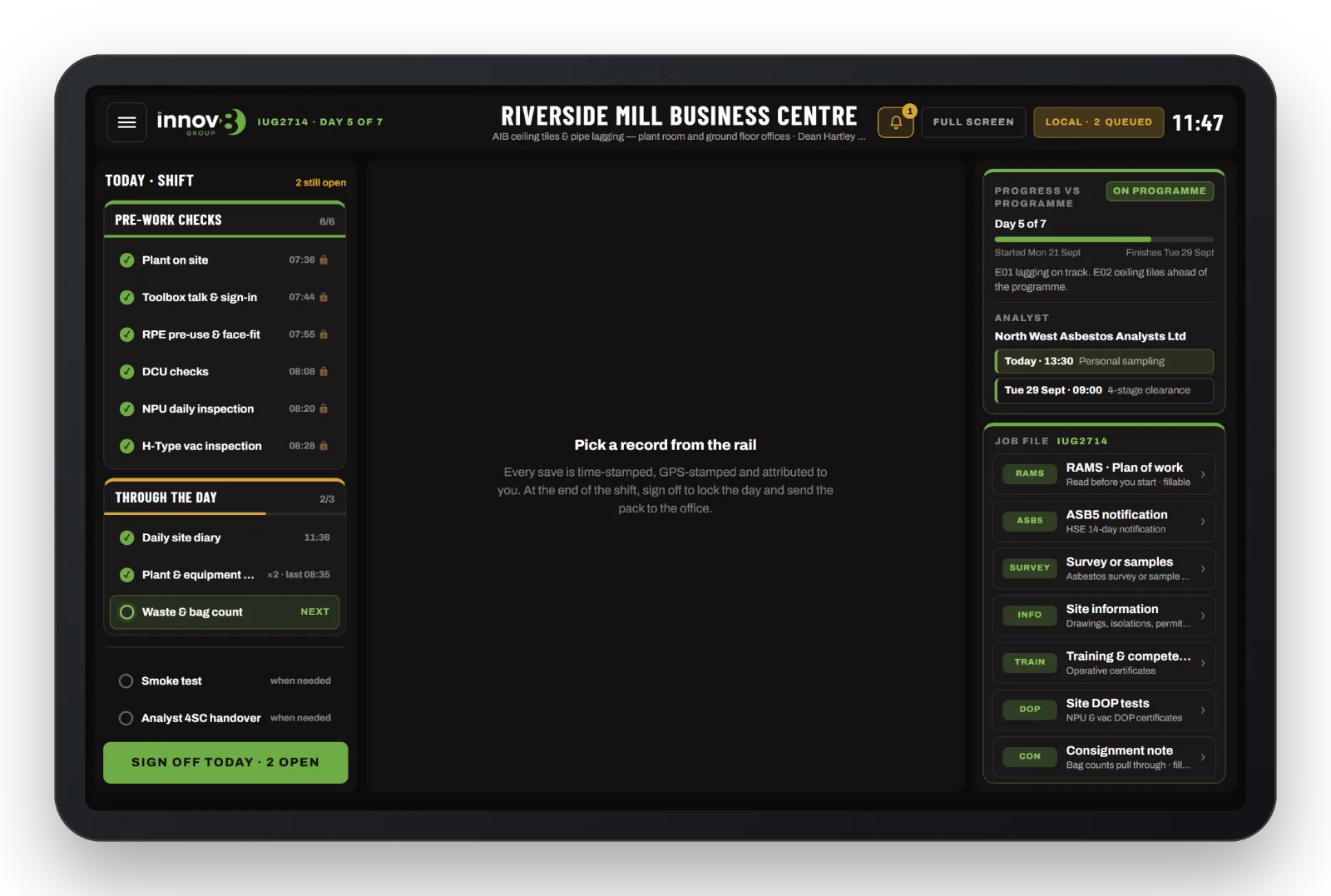
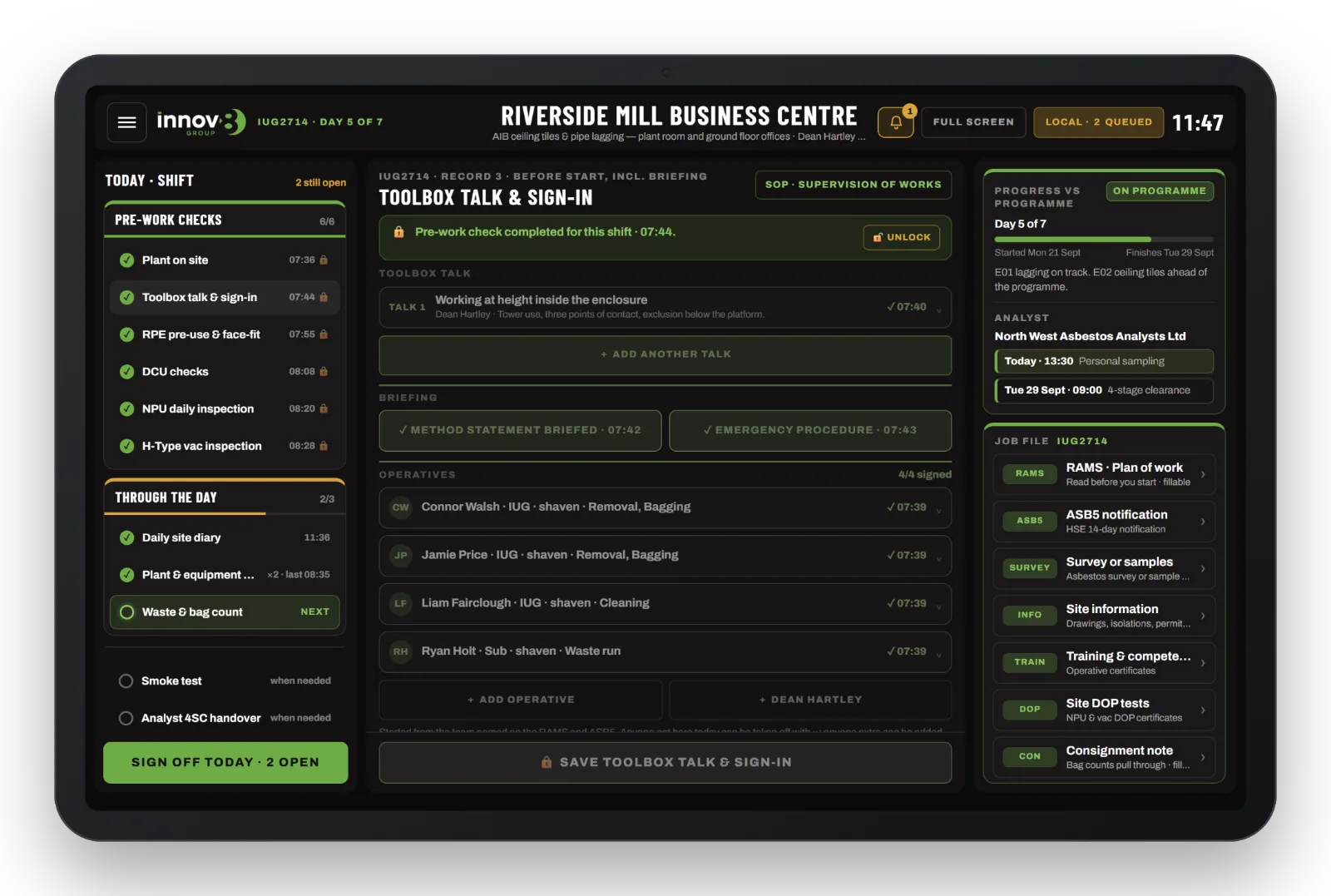
Each supervisor signs in with their own username and password. The tablet then shows the day’s work in the order it is done:
- Before you start. A short reminder that this is a live legal record of the shift, acknowledged before anything is entered.
- Sign on to the RAMS. On the first day, the team reads the plan of work on the tablet and each person signs with a finger. Their names and signatures are written straight onto the RAMS briefing table.
- Plant on site. Every DCU, NPU, H-type vacuum, generator and tower is logged by its unit number. This register drives the rest of the day: each unit gets its own check screen, so nothing on site can be missed.
- Pre-work checks. The toolbox talk and sign-in, RPE pre-use and face-fit checks, and the DCU, NPU and vacuum inspections. Finishing one opens the next.
- Through the day. The site diary, visitors, enclosure inspections before entry and every four hours, HAVS and noise exposure, plant checks, and the waste and bag count.
- Sign off. When every record is complete, the supervisor declares whether the job is ahead of, on or behind programme and signs. The day then locks and becomes a PDF day pack for the office.
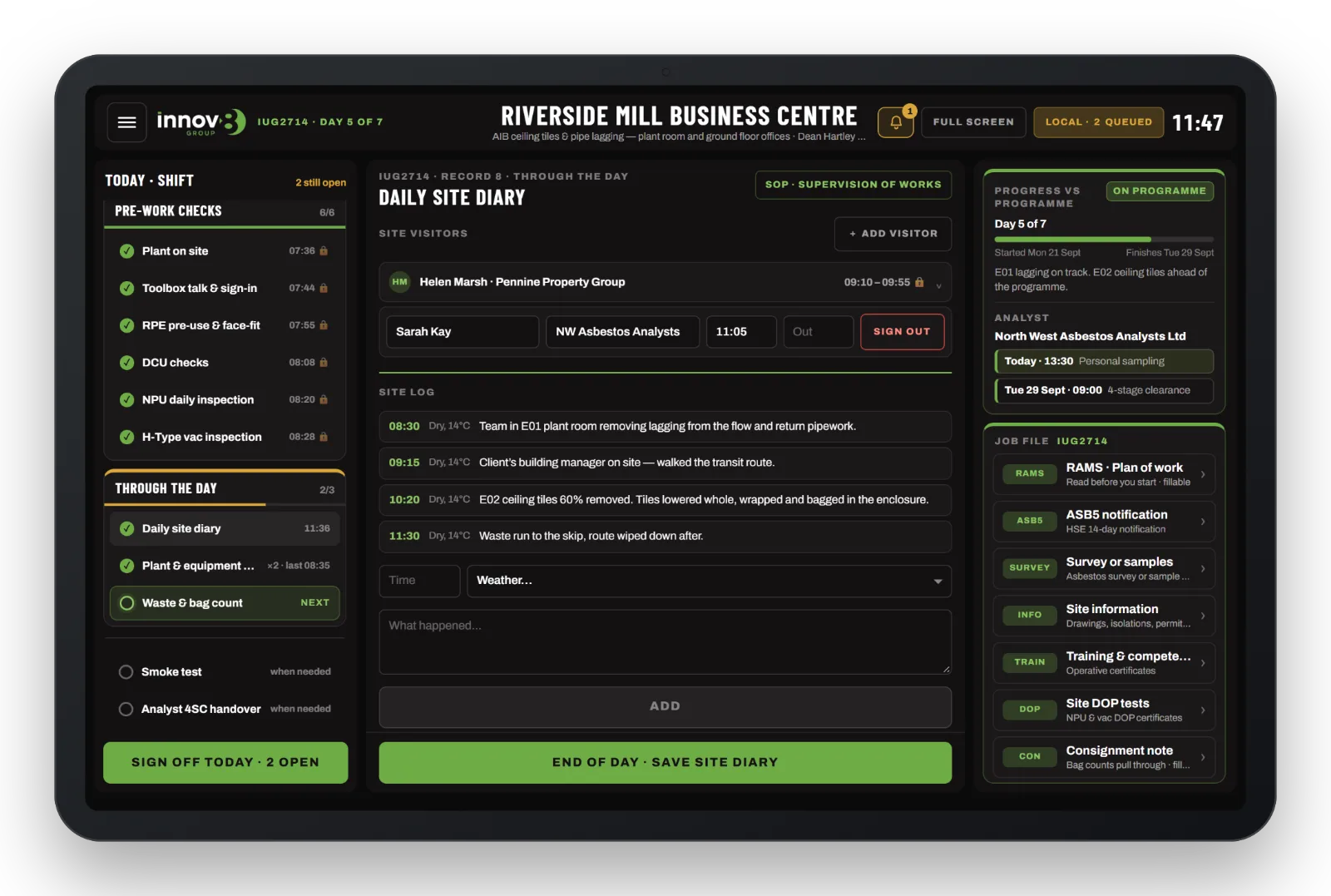
Every entry is stamped
Every save carries the time, the GPS position and the name of the supervisor who made it. Pre-work records lock once saved. A correction needs a typed reason, and that reason goes to the office with a name, time and location. Nothing is ever deleted.
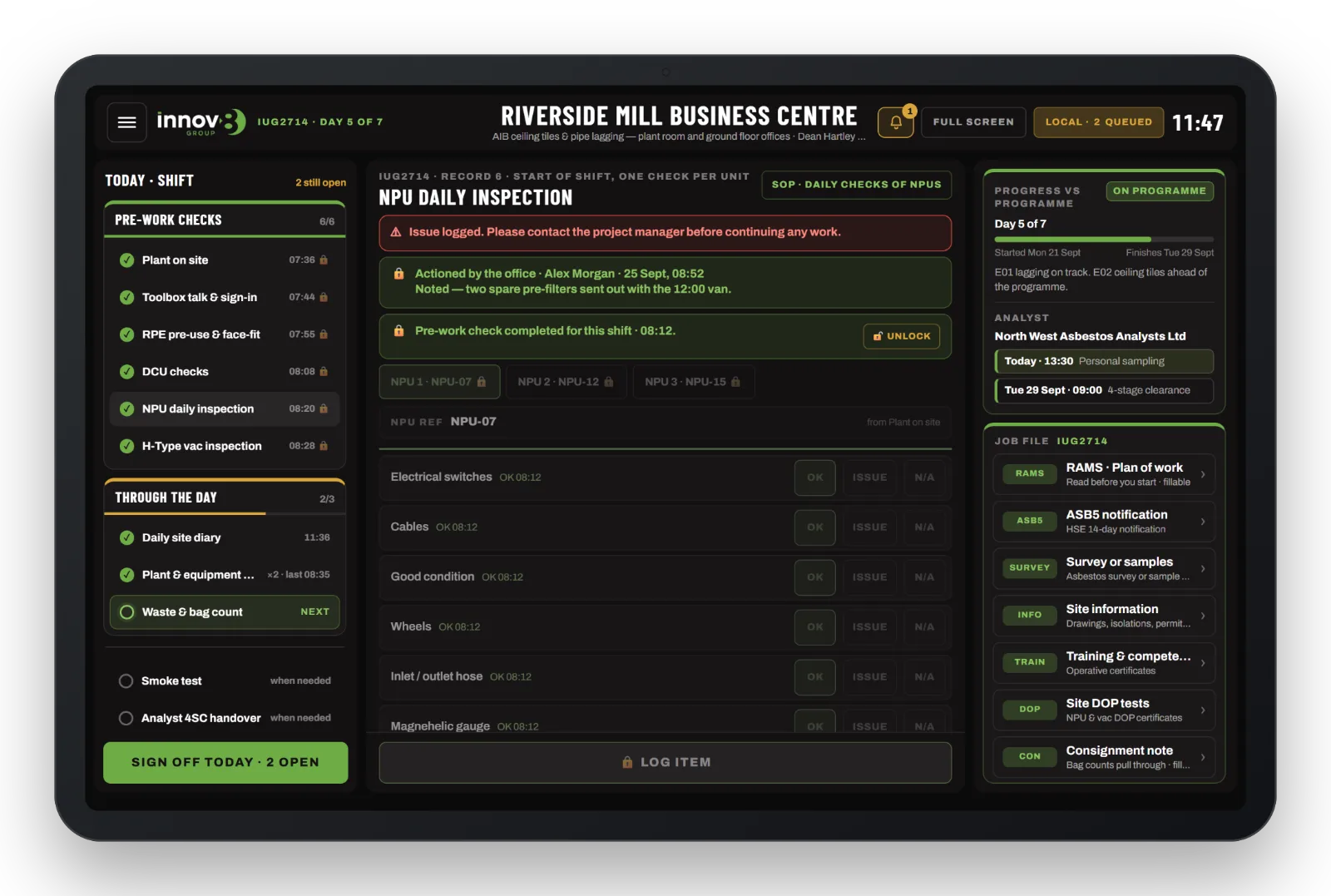
Problems are raised, not buried
Any check answered ISSUE, REMEDIAL, NO or LEAK puts a red banner on the record and flags it to the directors straight away. When the office deals with it, their note appears on the tablet against that record. Site can see it has been handled without making a phone call.
The rules are built in
- An enclosure is created by its smoke test. The test names it (E01, E02, …), certifies it and checks the air changes per hour.
- A logged leak means no pass until the enclosure is sealed and re-tested.
- No enclosure is signed off without the analyst’s four-stage clearance handover.
- Towers and MEWPs ask who is trained. A tower, scissor lift, boom or scaffold can’t be logged until the card holder is named and their PASMA, IPAF or CISRS card is recorded. An expired card is refused.
- Hold points are signed on the RAMS itself, one at a time, in order.
- The waste count pulls through to the consignment note.
The whole job file, in the supervisor’s hand
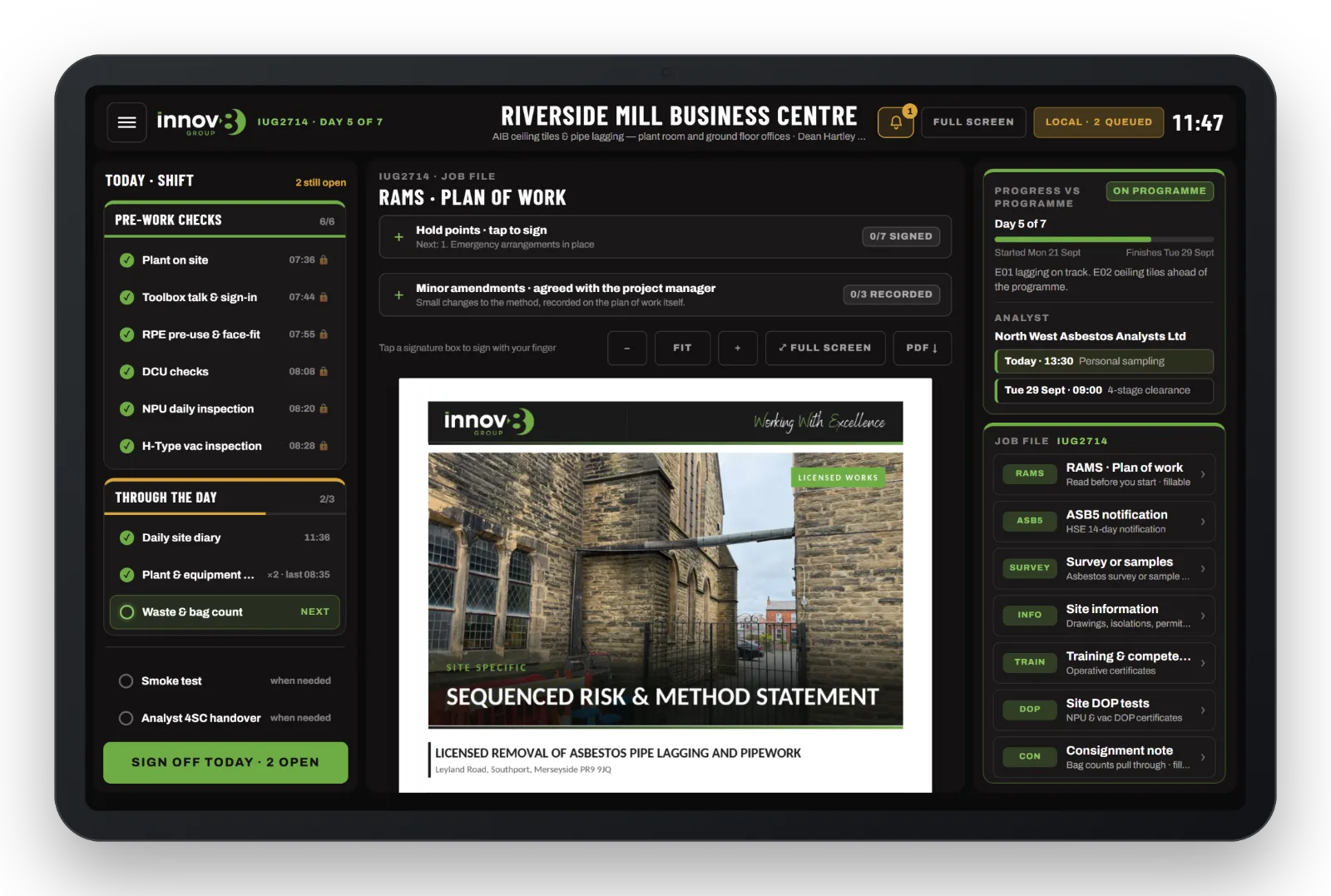
The job file lives on the tablet, including the RAMS and plan of work (fillable, with hold points and minor amendments signed in place), the ASB5 notification, the asbestos survey, site information and drawings, training and competence certificates, DOP test certificates and the consignment note. When the office replaces a document, the tablet marks it NEW until the supervisor has opened it.
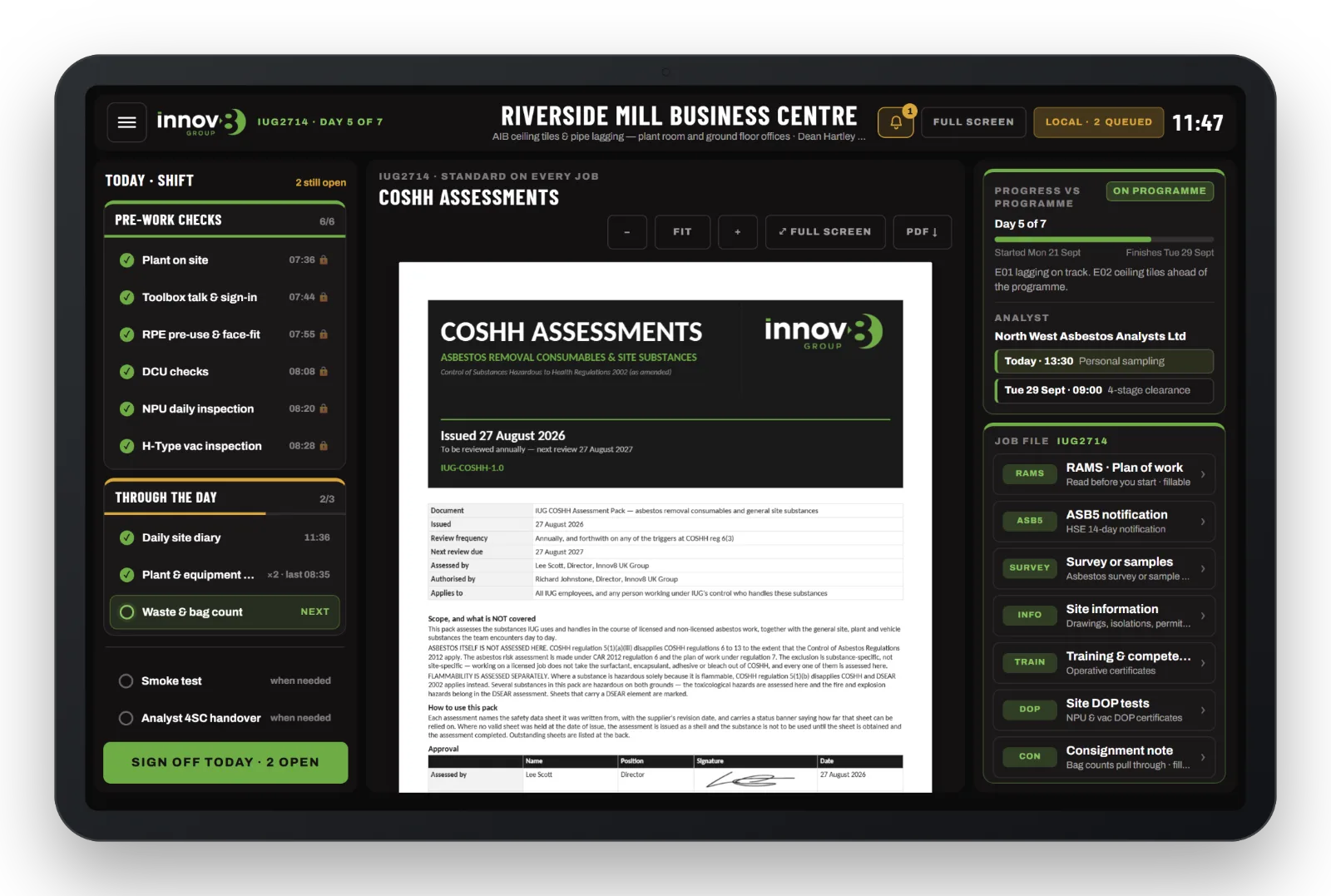
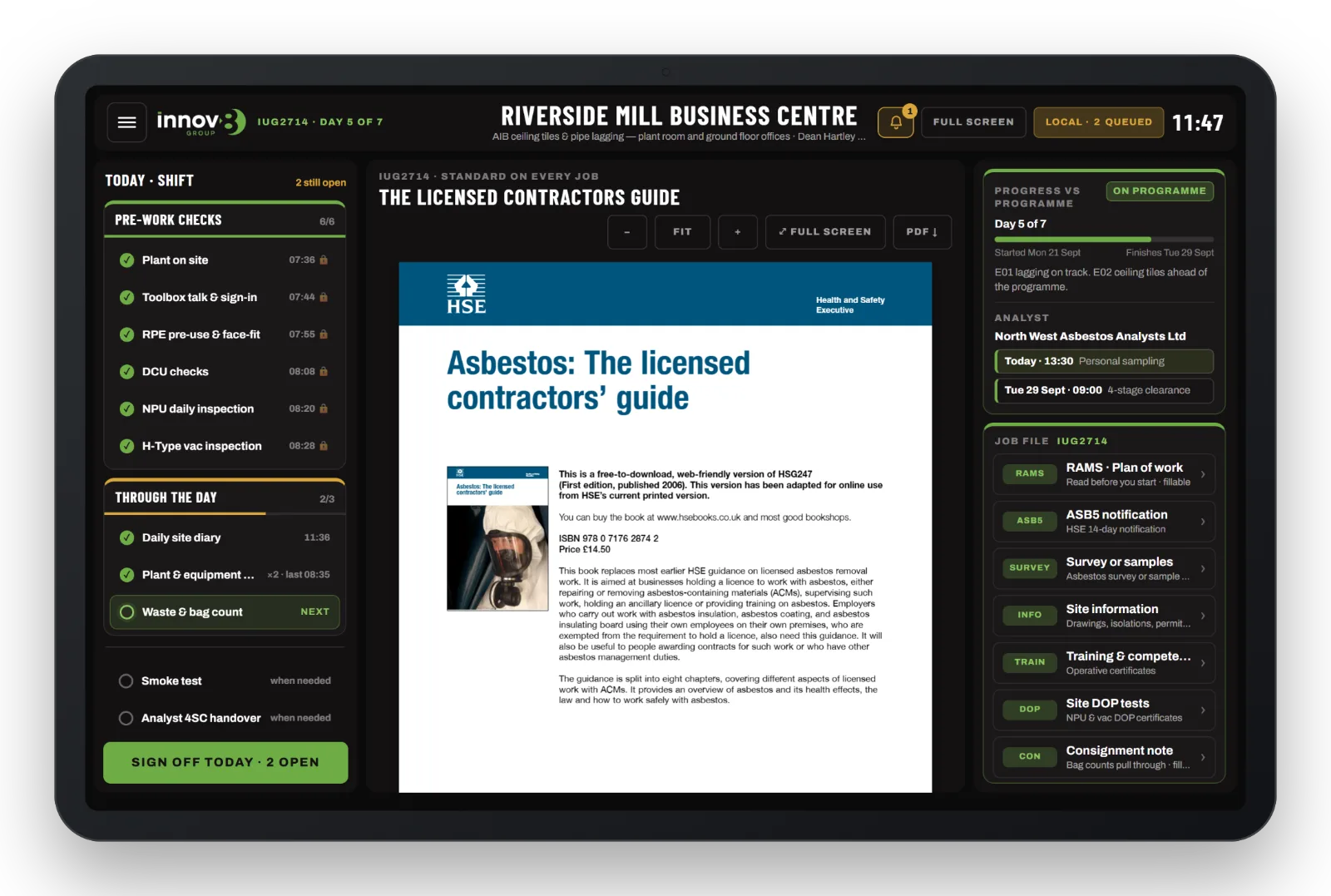
Every job also carries our standard documents: COSHH assessments, our standard operating procedures, licences and accreditations, and the HSE guidance. Each record links straight to the right section of the SOP.
Built for basements and plant rooms
Asbestos work often happens where there is no signal. The tablet saves everything to the device instantly and sends it to the office when a connection returns. Nothing is lost by being offline.
In the office: the Directors’ Dashboard
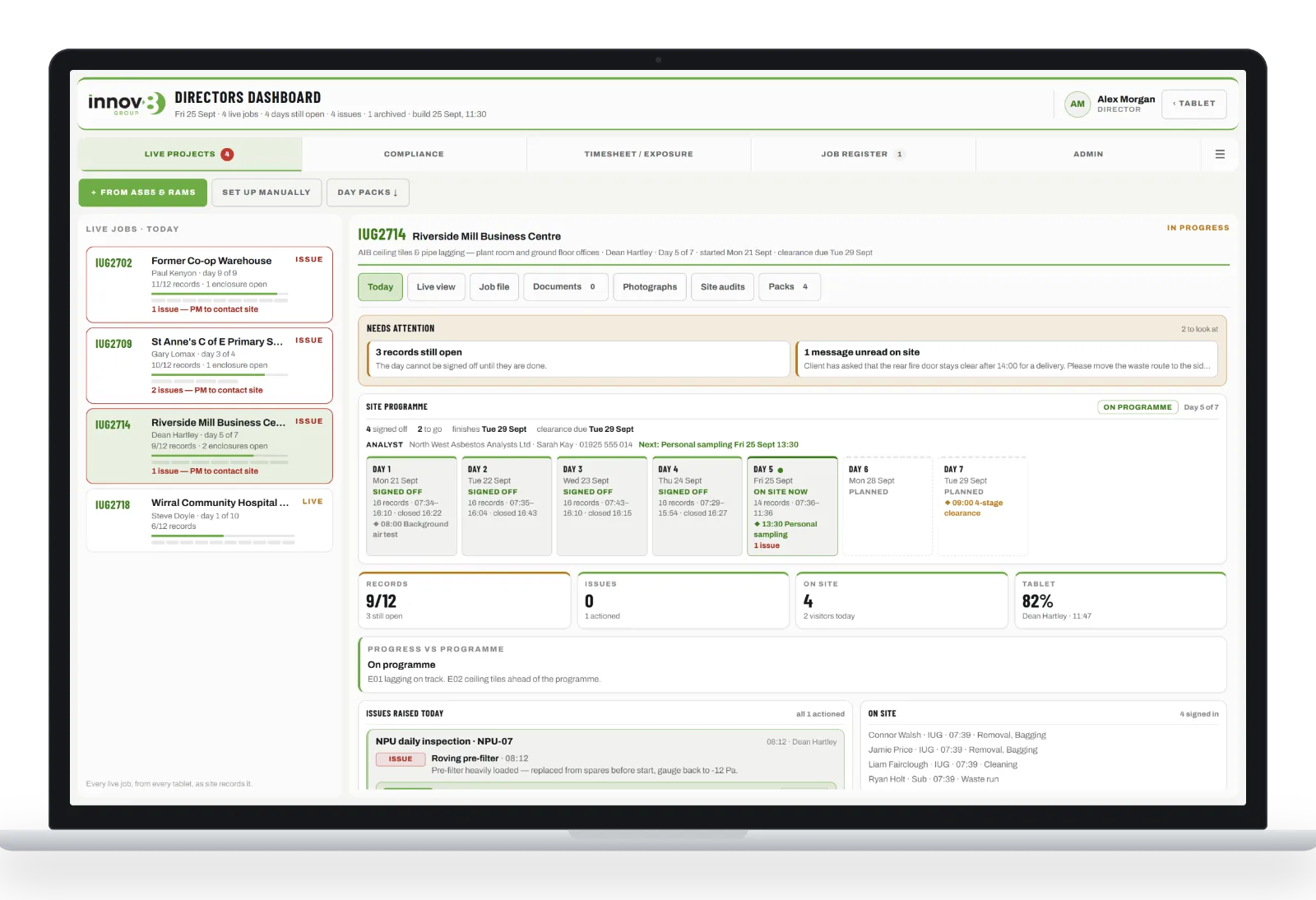
The dashboard is for the company directors only, signed in with our Microsoft 365 accounts. For every live job it shows:
- What needs attention. Issues not yet actioned, records still open, clearances due and messages not yet read on site.
- The site programme. Every working day, signed off or planned, with analyst bookings and whether the job is ahead, on or behind programme. If a job falls behind, the supervisor’s reason and recovery plan are shown too.
- Today at a glance. Records completed, issues raised, who is on site and the tablet’s battery level.
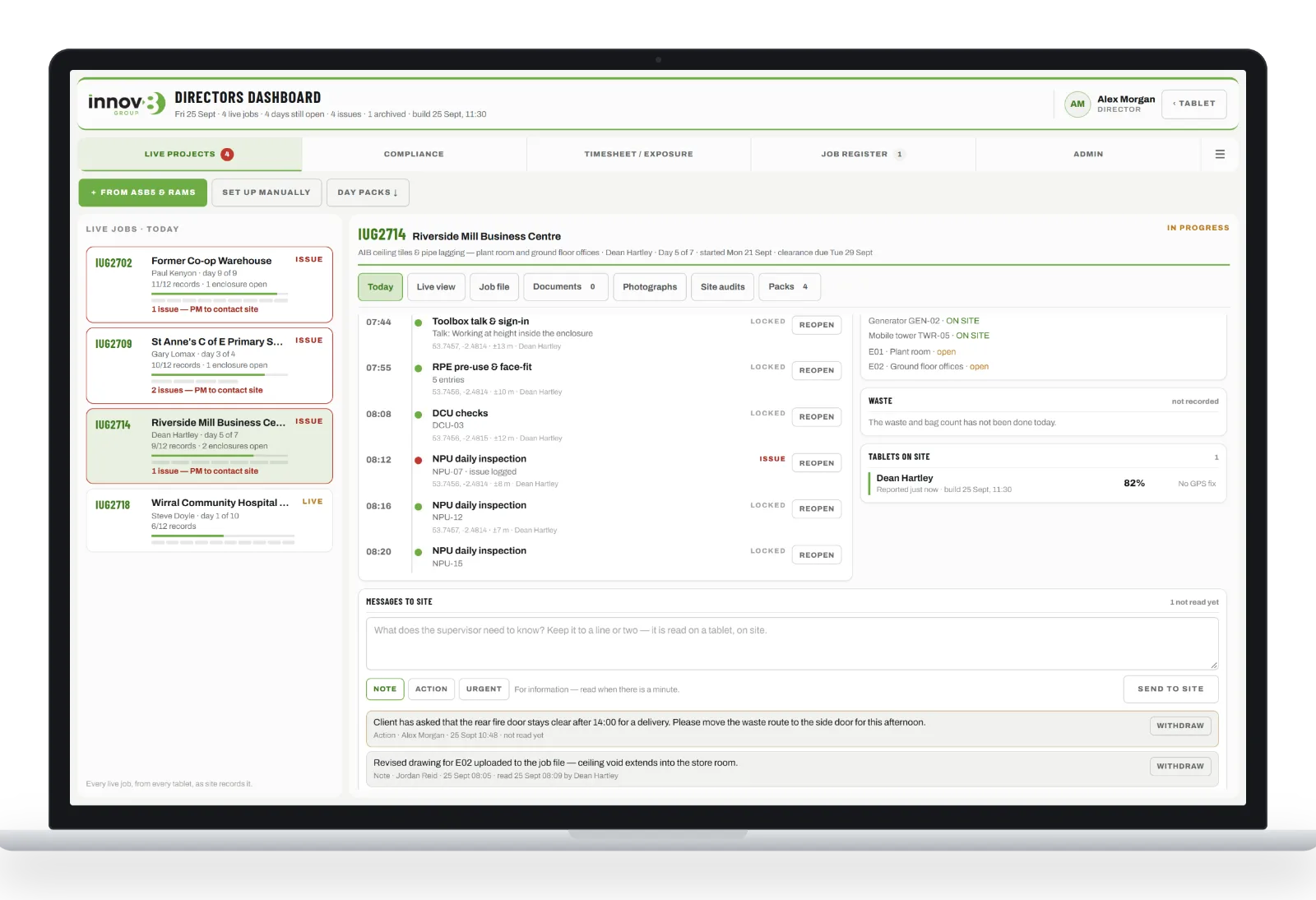
- A GPS-stamped timeline of every record made that day, with the option to reopen one if needed.
Talking to site
The office can send a note, an action or an urgent message to a job. It appears on the tablet under a bell, and the supervisor confirms they have read it. An urgent message takes over the screen until it has been read.
Live view
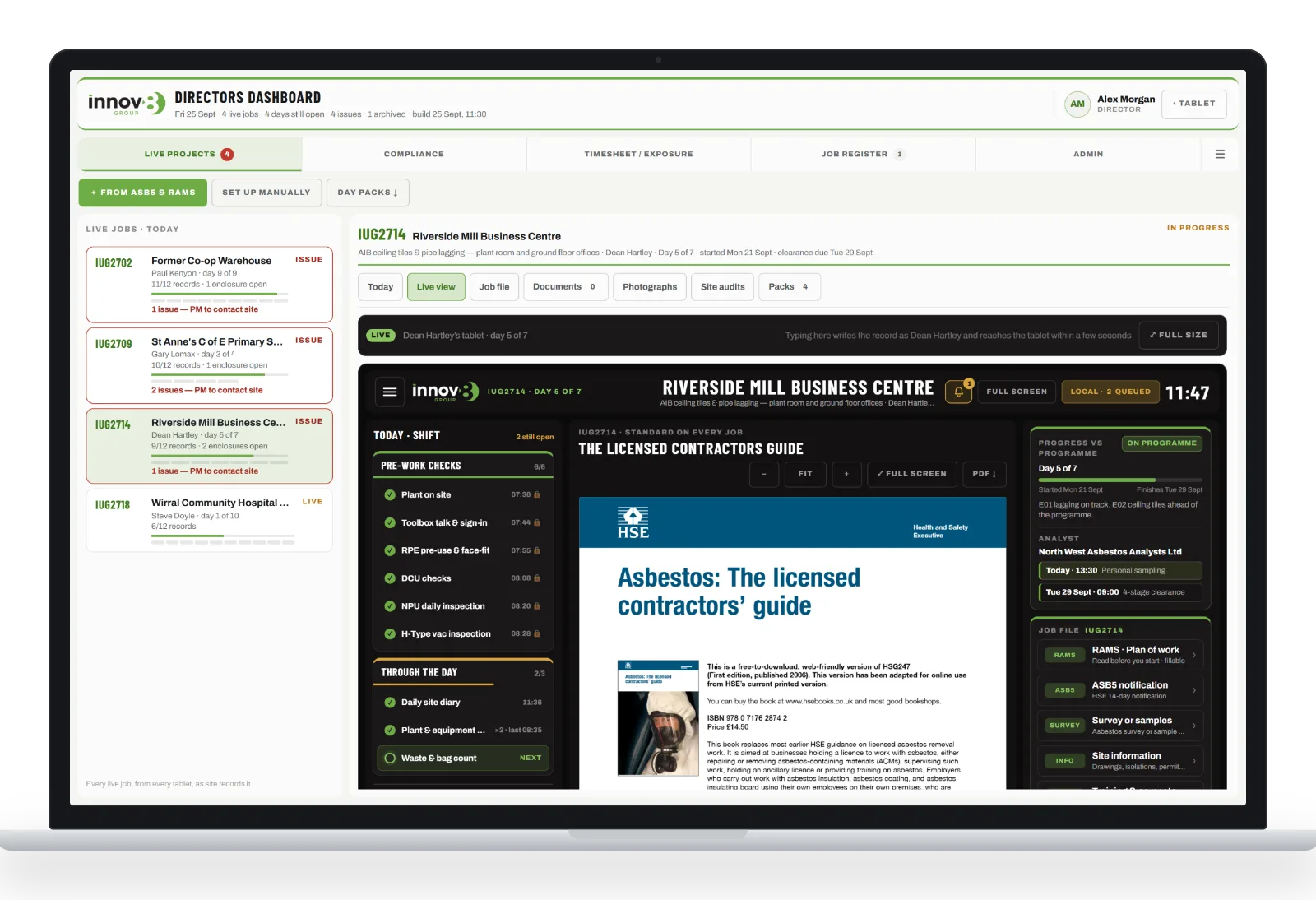
Directors can open Live view to see exactly what the supervisor is recording, as they record it. It is useful for walking through a problem over the phone.
More in the dashboard
- New jobs set up from the ASB5 and RAMS. Upload the two documents and the job reads itself in: dates, programme, team, client and analyst. Any disagreement between the two documents is flagged before anything is saved.
- Site audits. The full IUG Site Audit Pack, completed on a tablet, with management review and action close-out.
- Pre-start site assessments, written up on the walk-round.
- Day packs for every day signed off, and a Job Register that archives completed jobs with their documents.
- Compliance and timesheets. Our compliance register comes into the dashboard daily. Operatives fill in their timesheets and exposure records on their own phones.
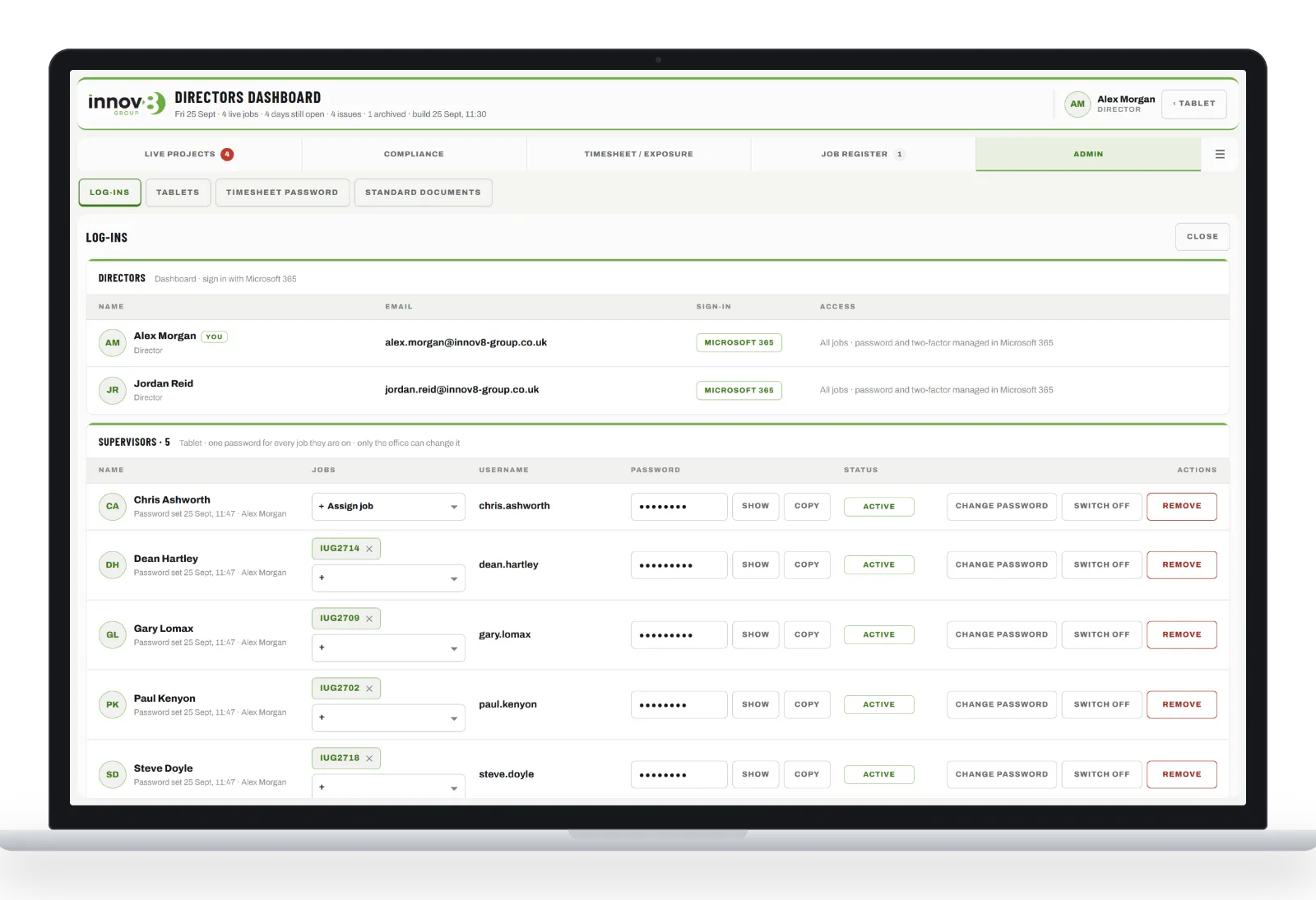
- Log-ins and tablets. Supervisor accounts, passwords and tablet allocation are all managed from one screen.
Planning the job: the IUG Site Planner
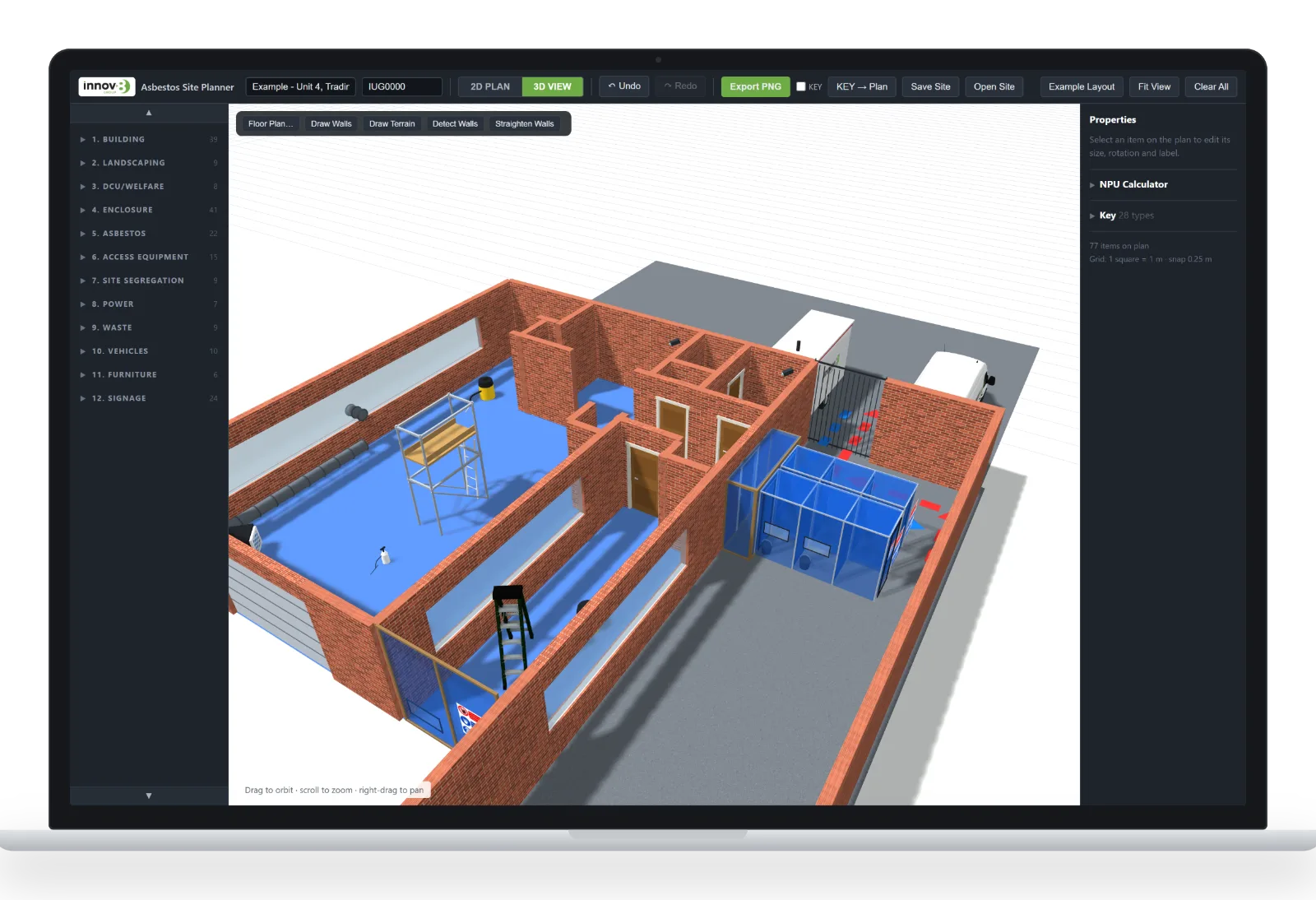
Alongside the app we have developed the IUG Site Planner, our own drawing tool for licensed asbestos jobs. Plans are built by drag and drop on a metre grid. You can place walls, doors, enclosures, three-stage airlocks and baglocks, NPUs and ducting, DCUs, skips, transit and waste routes, towers and scaffolds, signage and more. Then one click turns the plan into a 3D view of the site.
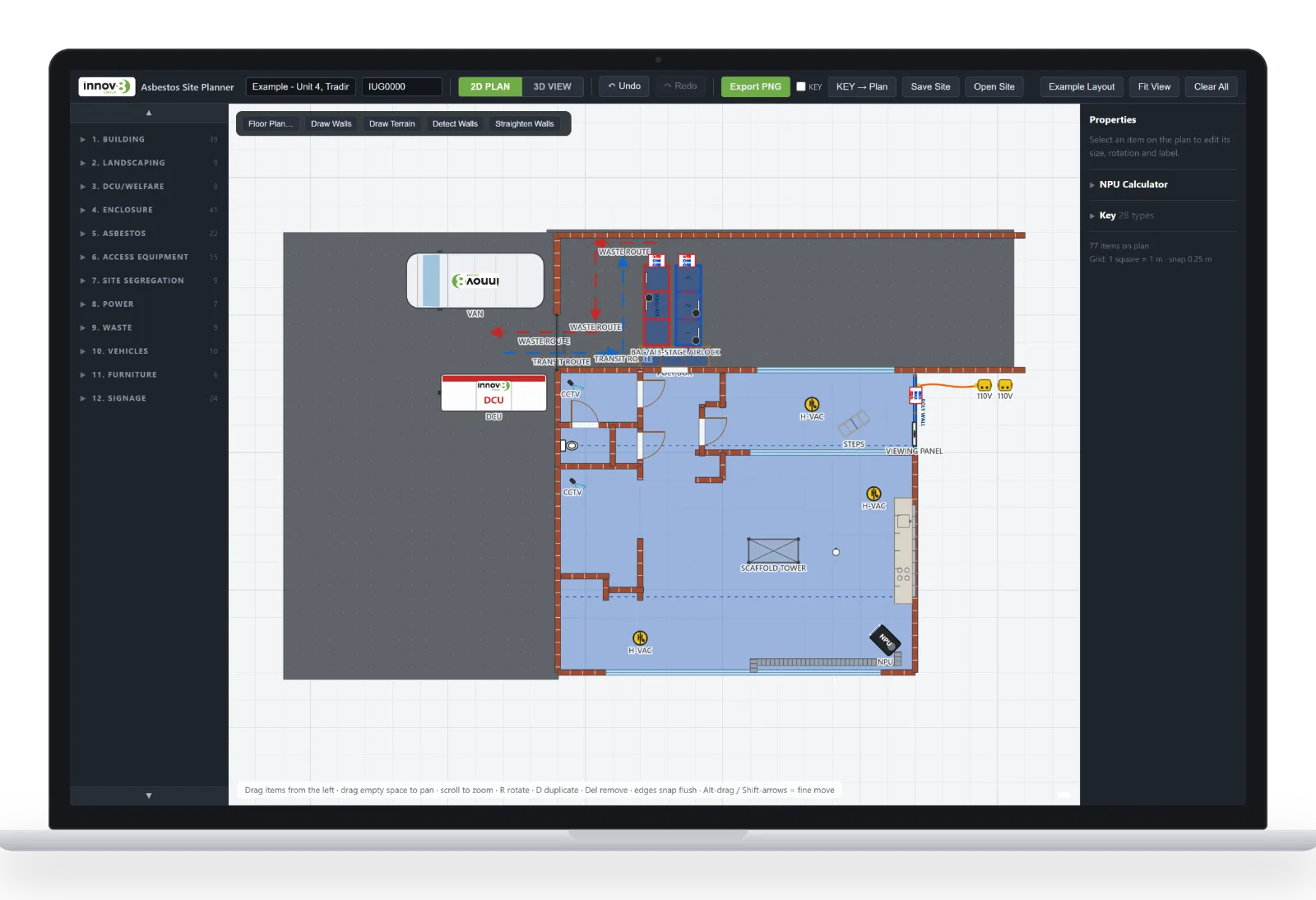
It includes an NPU calculator for our own fleet, a key that builds itself, and export to PNG with an IUG title block. The drawings go straight into the site plan section of our RAMS, quotations and completion packs, so the team on site and the client can see exactly how the job will be set up before work starts.
Meet IUG
Helping us along the way is IUG, our AI assistant. Behind the scenes, AI is helping us streamline our operations. On our website, IUG is the friendly face of that work: you’ll find him there, ready to answer your questions.
What it means for our clients
- Records made on site at the time of the work, not written up afterwards. Each one is time-stamped, located and attributed.
- Problems reach a director straight away, with a record of what was done about them.
- A complete, signed day pack for every shift, and a full project record at completion.
- Clear plans and drawings before a single sheet of polythene goes up.
The Innov8 App is being rolled out across our licensed asbestos jobs now. If you’d like to see how it would work on your project, get in touch.
Screenshots show demonstration data. The jobs, sites, clients and people pictured are fictional.